

Ever thought about making GPU training easier so you save time and boost efficiency? In this post, we show how automated MLOps workflows use pipelines and schedulers to run large-scale GPU training.
Imagine a busy kitchen where every chef knows exactly what to do. Data is split across GPUs (graphics processing units), tasks are scheduled like clockwork, and each device works at its peak. We explain how breaking training into clear, simple steps can help your projects run more smoothly while cutting down on manual errors.
Implementing Automated MLOps Pipelines for GPU Training
Large models like GPT-4 and Llama-3 need more memory than a single GPU can provide. That is why we use dedicated GPU training pipelines. When you work with petabyte-scale datasets (1 petabyte = 1,000 terabytes), one machine is not enough. GPU pipelines let us spread the work across many devices while keeping efficiency and speed high. They simplify workflows and ensure every GPU runs at its best, solving issues with multi-device communication and scattered data.
Core parallelism patterns play a key role in this setup. Data parallelism splits large datasets across multiple GPUs. Model parallelism lets different parts of a model run at the same time. Pipeline parallelism breaks the training process into smaller steps to boost output. Frameworks like Kubeflow Pipelines use these methods by offering reusable components that power efficient GPU training automation.
- Data ingestion
- Environment provisioning
- Distributed training
- Evaluation
- Deployment
Moving from a prototype to production can be tough. Updating experimental code for a multi-GPU setup often means using infrastructure as code (writing configuration files for automation). Automation makes these steps smoother, cuts down on manual changes, and reduces the risk of errors. This clear, systematic approach creates strong workflows that stay consistent as projects grow.
Scheduling Strategies for Scalable GPU Training Workflows

Schedulers are the heart of GPU-powered machine learning operations. They keep training jobs running efficiently by dynamically assigning resources and balancing work.
They manage clusters with multiple GPUs by distributing tasks evenly. This avoids having too many or too few resources working at the same time and makes sure every job gets the right attention in any compute environment.
In Kubernetes systems, GPU operators reveal fast connections like network interface controllers (NICs), Infiniband, and ROCE (RDMA over Converged Ethernet). This hardware-aware approach pairs high-speed tasks with the best available GPUs to cut down on delays and prevent resource waste.
Schedulers such as Ray and Dask simplify the setup process by isolating necessary software components before tasks run. They automatically adjust resource distribution as workload demands change, which boosts overall throughput and scalability while reducing manual configuration.
For long-running GPU training sessions, fault tolerance is crucial. By enforcing strict non-uniform memory access (NUMA) policies and being aware of system layouts, issues from resource fragmentation are minimized. Handling node failures effectively prevents lost checkpoints and wasted compute time, ensuring that extended training pipelines stay stable and consistent.
Comparing MLOps Pipeline and Scheduler Tools for GPU Training
When evaluating tools for GPU training pipelines, we focus on core features like multi-GPU communication (multiple graphics processing units talking together), reliable checkpointing (saving progress), fast fault recovery, and smooth integration with infrastructure as code (IaC). We assess each tool's ability to manage device orchestration and scale effectively. In some tests, we even reached up to 5.6× better GPU usage. We also look at how easy each tool is to deploy in containerized setups, its native Kubernetes (K8s) support, and how quickly it can scale based on workload demand.
| Tool | Type | GPU Features |
|---|---|---|
| Kubeflow Pipelines | End-to-end orchestrator | Multi-GPU communication, checkpointing, IaC integration |
| MLflow | Experiment tracker | Lightweight logging, basic checkpointing, integration hooks |
| Argo Workflows | Kubernetes-native pipeline | Fault recovery, container orchestration, IaC support |
| Ray Serve | Dynamic scaler | Real-time model serving, scalable multi-GPU handling |
| Airflow | GPU-aware scheduler | Optimized task orchestration, integration with GPU resources |
Our review shows that if you run a large cluster with complex container deployments, tools like Kubeflow Pipelines and Argo Workflows work well because of their strong fault recovery and IaC features. Meanwhile, Ray Serve is ideal for dynamic scaling when handling real-time workloads. For lighter GPU demands, MLflow and Airflow deliver reliable experiment tracking and scheduling. In the end, your choice depends on your cluster size and workflow automation needs, ensuring you get the best GPU training efficiency.
Integration Techniques for End-to-End GPU Training Automation
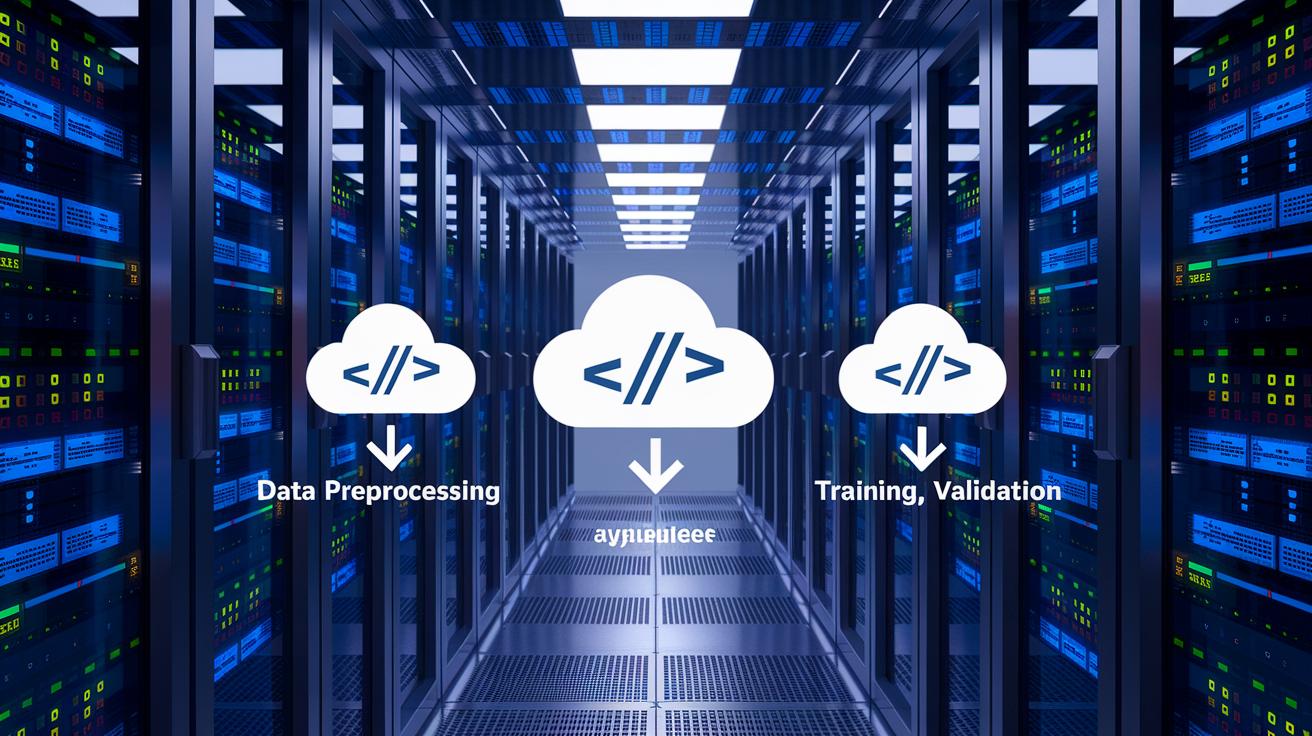
End-to-end integration connects every step in your GPU training process. We link data collection, preprocessing, training, and final model validation with minimal manual work. This streamlined flow reduces costs. In fact, our cloud MLOps pipelines can cut EC2 costs by up to 80% by optimizing resource use. Each stage talks to the next so you never lose sight of performance, accuracy, or scalability.
We use infrastructure as code tools such as Terraform (a tool for building, changing, and versioning infrastructure) and Helm charts (package managers for Kubernetes) to set up GPU clusters. GitOps workflows keep your pipeline definitions under version control. This approach guarantees that setups stay consistent and updates are easy to track. It also means that teams can duplicate setups and adjust quickly as training needs change.
| Step | Description |
|---|---|
| 1. Define infrastructure as code | Write your cluster setup in code for consistency. |
| 2. Containerize GPU images | Package your GPU images so they run reliably. |
| 3. Configure pipelines and schedulers | Set up automated job schedulers to manage tasks. |
| 4. Establish automated triggers | Create triggers to start tasks without manual input. |
Automated monitoring and retraining complete the picture. For example, when new data is uploaded to S3 (Amazon Simple Storage Service), automated triggers start retraining. Real-time system metrics then adjust resource allocation as needed. This feedback loop reduces downtime and mistakes, keeping your GPU training efficient from start to finish.
Overcoming Common Challenges in GPU Training Workflow Automation
Scaling GPU training is often held back by heavy communication needs. When several GPUs exchange data at once, network traffic builds up and delays in syncing occur. This extra communication work can prevent even the best-optimized systems from reaching their full speed. To fix this, careful network design and tweaking of protocols are essential.
Resource fragmentation creates more issues. Sharing GPUs to boost usage sometimes causes isolation problems, which means performance can become unpredictable. Moreover, slow transfers from the CPU to GPUs and bottlenecks in storage input/output slow down data preparation and model updates. Teams must therefore balance sharing devices while avoiding drops in performance.
Reliable fault tolerance is crucial to keeping training checkpoints safe. If a node fails during a lengthy session, valuable compute time is wasted and results can suffer. By using clusters that mix AMD and NVIDIA GPUs along with custom ROCm builds, you avoid relying on a single vendor and boost resilience. These strategies help keep workflows running smoothly even when hardware hiccups occur.
Best Practices for Continuous GPU Training Orchestration

Keeping your GPU training pipeline efficient means you need to tune and monitor it all the time. We recommend regularly checking operations like all_reduce (which sums up data across GPUs) and all_gather (which collects data from all GPUs) by adjusting their chunk sizes and ring buffer counts. This approach helps overlap the heavy lifting of computation with the quick task of communication.
It also helps to enforce strict NUMA (non-uniform memory access) policies. These policies guarantee that resources stay together in one spot, cutting down on fragmentation and boosting overall speed. Adding hooks before and after training lets you capture logs, track metrics, and set off early alerts if something feels off. On top of that, using spot instances or preemptible VMs can lower your costs while still delivering strong performance.
| Step | Description |
|---|---|
| Benchmark Collective Ops | Tune parameters for all_reduce and all_gather to ensure smooth overlap between computation and communication. |
| Apply NUMA Policies | Keep resource allocation contiguous to reduce fragmentation and improve performance. |
| Add Logging Hooks | Include pre- and post-training hooks to capture logs, metrics, and alerts early in the process. |
| Use Preemptible Resources | Opt for spot instances or preemptible VMs to save on costs without sacrificing speed. |
| Automate Stress Tests | Run tests that simulate peak load scenarios to assess system resilience. |
| Review Configurations | Schedule regular reviews of system metrics and logs to adjust configurations as needed. |
Regular reviews and iterative improvements ensure your training pipeline remains robust and responsive. By monitoring system metrics and logs, you can spot trends that guide fine-tuning. Testing new settings in controlled environments can help strike the right balance between performance and reliability. This cycle of feedback and adjustment builds a resilient GPU training environment that can keep up with changing demands.
Case Study: Automated GPU Training Pipeline with Kubeflow and Ray Schedulers
We built an automated GPU training pipeline that uses Kubeflow Pipelines on AWS G4dn instances with 4 NVIDIA T4 GPUs. Our system also employs a Ray Cluster for scheduling tasks. The pipeline starts when data is uploaded to S3. We provision the infrastructure using Terraform and deploy the workflows with Argo. Multi-zone Kubernetes clusters add strong fault tolerance. In our setup, we bring together diverse hardware, including AMD G4ad and NVIDIA instances with custom ROCm builds, to improve GPU training and keep systems running smoothly.
- Environment setup
- Pipeline definition
- Scheduler configuration
- Event triggers
- Monitoring integration
Our tests show that training runs up to 5.6 times faster, while we cut costs by 40%. The automated design reduced the need for manual intervention and made better use of our resources. For heavy training loads, the pipeline quickly shifts resources as needed. This minimizes idle times and helps deliver faster model updates.
We learned that clear orchestration of the pipeline and agile scheduling are key. Using automated triggers improved the flow by reacting to new data right away. We found that keeping close tabs on performance and adjusting settings on the fly is essential. For future projects, we recommend strict scheduling and real-time monitoring. This approach will help keep GPU training both cost-effective and high-performing over time.
Final Words
In the action, we walked through techniques for speeding up GPU training and render workflows. From automated pipelines and multi-GPU strategies to smart scheduler configurations, each section showed practical steps to boost efficiency while keeping costs in check.
We broke down integration methods, optimization best practices, and real-world case studies to build a clear picture of production-grade solutions.
Embracing mlops workflow automation for gpu training (pipelines and schedulers) empowers your team to achieve faster, more predictable outcomes and improved scalability.
FAQ
What is an MLOps course and how does Google’s MLOps course support GPU training?
The MLOps course teaches how to integrate machine learning into production. Google’s MLOps course covers automated GPU training pipelines and CI/CD best practices, helping teams streamline deployment.
What does an MLOps pipeline example for GPU training look like?
The MLOps pipeline example outlines stages such as data ingestion, environment provisioning with infrastructure as code, distributed training, evaluation, and deployment to deliver scalable GPU training workflows.
What are the best MLOps workflow automation tools and schedulers for GPU training pipelines?
The best tools combine pipeline orchestration like Kubeflow Pipelines with dynamic schedulers such as Ray Cluster, optimizing multi-GPU resource allocation while reducing manual steps.
What is an MLOps CI/CD pipeline and how is pipeline architecture integrated for GPU training?
The MLOps CI/CD pipeline automates integration and deployment tasks, while the architecture uses distributed strategies—data, model, and pipeline parallelism—to manage communication between multiple GPUs.
What does the overall MLOps process for automated GPU training involve?
The MLOps process streamlines transitioning from prototype to production by reworking experiment code for multi-device setups, ensuring efficient data parallelism and reliable deployment through automation.

