

Have you ever thought you might be overspending on a GPU that is too powerful for your needs? We know that selecting the right GPU for PyTorch (a popular deep learning library) and TensorFlow (another leading machine learning framework) can help you train your models faster while reducing costs. Think of it like choosing a suit that fits you perfectly, it is all about balance, not just speed.
In this post, we explain how to pick the best GPU instance for your workloads. We break down key points such as compute power (the speed at which your GPU can perform tasks) and memory (the storage available for processing data) so you can meet your performance targets while keeping your expenses in check.
Achieving Balanced Cost and Performance in GPU Instance Selection for PyTorch and TensorFlow Workloads
Balancing cost and performance can mean the difference between getting your model to converge on time and spending more than needed on resources. When working with PyTorch and TensorFlow, the right GPU choice comes down to both compute power and bandwidth. Cloud GPUs speed up training and inference with parallel processing, so heavy models run more efficiently. By understanding the trade-offs, you can align your spending with your performance targets. For more details on boosting performance, see "how to optimize gpu training for deep learning" (https://studiogpu.com?p=340).
Your choice should match your model’s needs. If your training task is compute-heavy, you might lean toward modern GPUs like the NVIDIA H100, which delivers up to 3,958 TFLOPS with FP8 (8-bit floating point). For inference workloads, GPUs with high memory bandwidth, such as the A100 offering 1,555 GB/s, could be more suitable. You can even achieve up to 20% savings by weighing pricing options like pay-as-you-go versus reserved instances, making cost efficiency important from development through deployment. For more performance standards, take a look at "model benchmarking" (https://aiinsightguide.com?p=117).
| Key Factor | Why It Matters |
|---|---|
| Compute Throughput | Speeds up training, especially for large neural network designs |
| Memory Bandwidth | Handles heavy data flows smoothly during inference |
| Pricing Models | Help you balance hourly costs with long-term savings |
Flexible resource allocation and elastic scaling allow you to adjust GPU capacity during peak times and reduce it when demand is low. This means you pay only for what you use, making your deep learning projects both cost-effective and efficient.
Calculating VRAM Floors for PyTorch and TensorFlow Models
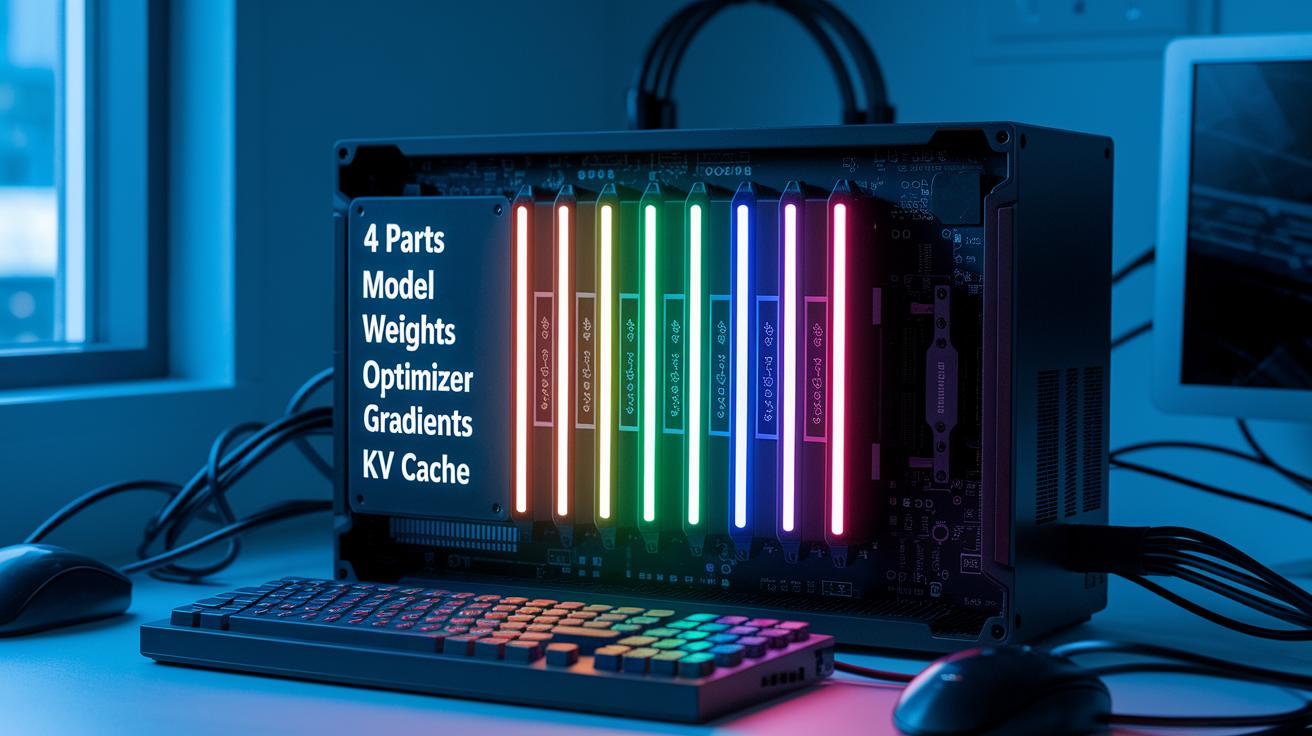
Determining the VRAM floor is key to avoiding out-of-memory errors when training or running your model. The VRAM floor is simply the smallest amount of GPU memory needed to load the critical parts of your model.
We break it down into four parts:
- Model weights – the fixed numbers your network learns.
- Optimizer states – extra space needed by tools like the Adam optimizer.
- Gradients – the data used during the backpropagation process.
- KV cache – a memory buffer that grows with the batch size and sequence length during inference.
For example, imagine a transformer model with 7 billion parameters running in 16-bit precision. The weights take about 14GB of GPU memory. When you add the Adam optimizer, the extra room for gradients and optimizer states can push the requirement to around 70GB. In inference mode, you don’t need room for the optimizer states or gradients, but you must size the KV cache based on your input dimensions.
This step-by-step profiling helps you adjust your resource use so your model can run effectively while avoiding memory issues.
Balancing Compute Throughput and Memory Bandwidth in GPU Instances
Training models typically calls for heavy computing power. GPUs like the H100 deliver 3,958 TFLOPS (FP8) to power tough computations. When you run low-latency inference on long data sequences, fast memory bandwidth is key to moving data quickly. Advanced benchmarks, such as measuring per-batch latency, help uncover performance details not obvious in raw numbers. For example, in one test using the H100, per-batch processing was 2.5 times faster than with other models.
| GPU | Compute TFLOPS | Memory Bandwidth |
|---|---|---|
| H100 | 3,958 TFLOPS (FP8) | 1,600 GB/s |
| A100 | 2,000 TFLOPS | 1,555 GB/s |
| L40S | 1,100 TFLOPS | 800 GB/s |
When choosing a GPU instance, it is vital to match the choice to your specific workload and benchmark outcomes. For heavy compute tasks, the H100 is likely the best option for maximizing throughput. If your work focuses on low-latency inference with long sequences, the high memory bandwidth of the A100 makes it a strong choice. For situations that need a balance between cost and performance, the L40S offers solid parallel processing while meeting both compute and memory demands.
Impact of NVLink and Interconnects on Multi-GPU Scaling for Deep Learning

The speed at which GPUs share data is crucial for deep learning across multiple GPUs. For instance, an H100 using NVLink offers up to 900 GB/s of GPU-to-GPU bandwidth, while a PCIe Gen5 x16 slot provides roughly 64 GB/s. This gap means that with slower interconnects, overall efficiency can drop below 50 percent because tasks stall waiting for data instead of computing.
When you set up a multi-GPU cluster, it is key to review your whole setup for load balance and smooth task allocation. Fast interconnects make sure that data moves alongside your compute tasks. Consider these types of connections:
| Interconnect Type |
|---|
| PCIe |
| NVLink |
| InfiniBand |
Choosing the right connection is as important as picking the right GPUs. It helps avoid data bottlenecks, supports smooth parallel training, and keeps your deep learning models running efficiently.
Cost Optimization Strategies and Pricing Appraisal for GPU Instances
Pricing models are key to managing your GPU costs for deep learning projects. You can choose pay-as-you-go pricing for flexibility during short experiments or reserved instances that may save you up to 20% on long-term runs. It is important to understand the cost breakdown to avoid surprises. Remember to factor in extra fees like storage and data transfers.
- Hourly fees for GPU usage
- Charges for storing your data
- Fees for transferring data between services
- Savings from long-term reserved instances
When picking a GPU instance, consider both your budget and your project needs. For short projects or tests, a pay-as-you-go model keeps upfront costs low and lets you scale easily. For ongoing tasks like fine-tuning deep learning models, reserved instances are often more cost-effective. GPUs such as the A100 and L40S can be more budget-friendly for fine-tuning than the H100. Matching the right GPU with the needs of your workload helps you get optimal performance without overspending.
Configuration Best Practices for Right-Sizing in PyTorch and TensorFlow

When setting up your deep learning environment, it's important to fine-tune every part of your configuration for peak efficiency. Begin by setting up mixed precision training, which means using half precision (FP16) for compute-heavy tasks and full precision (FP32) for operations that need higher accuracy. Next, streamline your data flow with tools like Apache Kafka or TensorFlow’s tf.data API to ensure your GPU gets a steady stream of data without delay. Using pre-configured frameworks for both PyTorch and TensorFlow minimizes setup hassles so you can concentrate on model development instead of environment issues.
- Use mixed precision training to cut down on memory use and speed up training cycles.
- Set up efficient data pipelines to lower data input delays.
- Monitor your system using tools such as NVIDIA DCGM to watch GPU usage and avoid memory issues.
- Rely on ready-to-run frameworks to prevent unexpected out-of-memory errors.
Keep an eye on your workload performance by regularly checking both compute and memory metrics. Adjust settings as your model grows. This ongoing refinement, backed by proactive monitoring, helps avoid surprises like sudden GPU memory spikes and keeps your training and inference processes running smoothly.
Decision Framework for Selecting GPU Instances by Workload Constraints
When planning your setup for PyTorch and TensorFlow workloads, start by determining if your project is limited by memory, compute power, or data transfer speed. Use the decision tree below to guide your choice:
- Memory-bound Workloads
- Compute-bound Workloads
- Communication-bound Workloads
For memory-bound projects, often involving large models or lengthy input sequences, a single large GPU is usually the simplest option. A high VRAM (video memory) capacity helps avoid out-of-memory errors during both training and inference. This streamlined setup reduces overhead and lets you focus on fine-tuning your model rather than managing complex parallel systems.
Compute-bound workloads need strong arithmetic performance. In these cases, we recommend using multi-GPU clusters with high-speed interconnects like NVLink (a high-speed data connection). Spreading heavy computational tasks across several GPUs can speed up training and help scale models that exceed the capacity of a single GPU. This distributed approach often leads to faster convergence in your projects.
For communication-bound workloads, where the time taken for data to move between GPUs is key, it is best to choose clusters with robust interconnects such as NVLink or InfiniBand. These high-performance links lower data transfer delays and ensure efficient collaboration among GPUs during distributed training.
Also, be sure to consider legal and regional requirements. For instance, companies in Europe should select cloud providers that offer regional data residency to comply with regulations like the General Data Protection Regulation (GDPR) and the EU AI Act.
Case Studies in Right-Sizing GPU Instances for Deep Learning Workloads

A European enterprise chose EU-based A100 instances to meet strict local rules. They aimed to lower the risk of compliance issues while reducing wait times and ensuring predictable costs. This example shows how keeping data in its local region can support legal standards and boost performance.
Another project used Runpod Instant Clusters for a multi-node setup that fine-tunes 70B-parameter models. This method pairs flexible resource allocation with clear pricing and global data center support. It helps balance strong performance with budget limits, making large-scale model tuning more streamlined.
Both cases highlight steps to match GPU resources with deep learning needs. The first case shows that careful migration to cloud GPUs can safeguard legal compliance and use resources effectively. Meanwhile, the Runpod example shows that smart GPU orchestration can ease large-scale model training and maintain efficient scaling. Key benefits, like cost savings and better throughput, back these approaches. By using tailored allocation strategies and orchestration tools, organizations can meet growing workload demands, avoid unexpected expenses, and keep their multi-node environments scalable.
Final Words
In the action, we reviewed key factors from cost efficiency to compute throughput when choosing the right GPU instance. We covered scaling approaches, memory management, pricing models, and real-world case studies for balanced performance.
Focusing on right-sizing gpu instances for pytorch and tensorflow workloads leads to faster render and training cycles while maintaining predictable budgets. Combining dynamic allocation with thoughtful planning makes production smoother and more reliable. Enjoy building better, measurable workflows.
FAQ
What is AWS GPU pricing?
AWS GPU pricing refers to the cost model for using GPU-powered instances on AWS. It supports pay-as-you-go and reserved pricing, offering flexibility based on project duration and workload demands.
What are AWS NVIDIA GPU instances?
AWS NVIDIA GPU instances are cloud virtual machines equipped with NVIDIA GPUs (graphics processing units). They support deep learning, rendering, and compute-heavy tasks with optimized performance and industry-standard frameworks.
How are AWS GPU instances used for inference?
AWS GPU instances for inference are configured to accelerate model predictions while reducing latency. They provide adjustable resources to deploy large language models and other high-throughput applications efficiently.
What types of AWS GPU instance types are available?
AWS offers various GPU instance types such as P4, G4, and others. Each type is tailored to different workloads, balancing compute performance, memory bandwidth, and pricing adaptability.
What are AWS P4 Instances?
AWS P4 Instances are a specialized GPU offering designed for compute-intensive deep learning workloads. They deliver high performance and memory bandwidth, ideal for training large models and accelerating research tasks.
What are AWS single GPU instances?
AWS single GPU instances provide one GPU per virtual machine. They are cost-efficient for smaller-scale projects and development tasks, offering streamlined setup while maintaining reliable performance.
How do AWS GPU instances support large language models (LLM)?
AWS GPU instances for LLM training and inference combine high compute power with substantial memory bandwidth. This configuration enables efficient parallel processing and scalability to handle the extensive parameters of large language models.

